

To optimize your World of Warcraft raiding UI, prioritize strategic element placement, including action bars, nameplates, and raid frames. Customize and size elements for clear visibility. UI optimization involves removing clutter and customizing the layout; adjust your color scheme to improve visibility and reduce eye strain. Manage CPU usage by adjusting graphic settings and utilizing specific addons like Method Raid Tools. Key raided UI Addons include DeadlyBossMods (DBM) and Method Raid Tools for mods and cooldown tracking. Control visual clutter by limiting skills and using ElvUI and WeakAuras for customization. Continue refining your setup for top performance in demanding encounters.
Key Takeaways
- Prioritize Element Placement: Position key UI elements strategically around the character frame for optimal visibility and positioning.
- Optimize for Visual Clarity: Remove unnecessary UI elements, choose a color scheme that enhances gameplay, and limit the number of colors to reduce eye strain.
- Minimize CPU Usage: Adjust graphic settings, check Power Options, and use CPU-efficient addons like Method Raid Tools to ensure smooth gameplay.
- Streamline Action Bars: Limit skills displayed on action bars to minimize distractions, and use ElvUI and WeakAuras for customization and tracking.
- Monitor Performance: Use tools like Addon Usage to track and optimize CPU usage for optimal performance during raids.
Essential Element Placement
When planning your UI for raids, you should prioritize placing essential elements in strategic positions to maximize your performance and situational awareness. Key components include action bars, nameplates, and raid frames. Each element should be sized appropriately to maintain visibility without obstructing your view of the game world. For action bars, consider using add-ons like Bartender4, which allows customizable placement, making it easier to customize your UI to your preferences.
Ensure accurate positioning by organizing elements around your character frame. For example, position enemy nameplates around your character to effectively track their movements. Additionally, consider situating raid frames at the bottom of the screen, keeping crucial information accessible without blocking your view. Keep your UI tidy and clutter-free to enhance your overall raiding experience.
Properly positioned and sized elements enable you to respond promptly to various raid scenarios. A well-designed UI setup provides an advantage in terms of situational awareness and reaction speed. By strategically situating these essential elements, you’ll enhance your overall performance and remain focused on the raid rather than struggling with your camera.
UI Optimization Steps
To start with, make sure all unnecessary UI elements are removed, avoiding clutter that can hinder your performance in raids. A cluttered UI can make it harder to focus on important mechanics and react in time.
Customizing the layout to fit your needs is also crucial. Arrange your UI in a way that allows you to efficiently use your abilities and view important information like raid frames. Players often overlook color scheme optimization, but it can greatly enhance your gameplay experience.
Adjust the colors of different elements to improve visibility and reduce eye strain. Additionally, consider limiting the number of colors used to avoid visual noise. This helps create a more cohesive look and enables you to differentiate between essential elements quickly.
Managing CPU Usage Effectively
Since you’ve refined your UI layout and color scheme, now focus on minimizing CPU usage to guarantee your game runs smoothly during intense raids. CPU performance plays a vital role in managing frame rates and overall gameplay experience.
To achieve the best CPU performance, it’s essential to adjust graphic settings effectively. In World of Warcraft, settings such as Environmental Detail, Ground Clutter, View Distance, Shadows, Particle Effects, and Anti-Aliasing are important contributors to CPU load. Lowering these settings can greatly reduce CPU usage, which is especially crucial during heavy raid fights.
Make sure that your CPU isn’t stuck on conservative power settings by checking the Power Options in your computer’s Control Panel. Striving for maximum CPU performance can help maintain high frame rates even when the action gets intense.
Furthermore, using specific Addons like Method Raid Tools and BigWigs can help in CPU management by optimizing timers and raid cooldowns, thereby reducing the cognitive load on the CPU. Managing CPU usage responsibly can lead to improved frame rates and overall performance, guaranteeing that your raid experience remains smooth and enjoyable.
Important Raiding UI Addons
Two important addons that guilds in a raid expect you to have are DeadlyBossMods (DBM) and Method Raid Tools. These addons are vital for effective communication and coordination among raid members.
Here are some key features of these significant raiding tools:
- DBM: Provides mods for raid, dungeon, special event, and Brawlers Guild; includes features like colored raid warnings and auto-respond during boss fights.
- Method Raid Tools: Offers note-taking and sharing, planning boss encounters, and tracking cooldowns for your raid team.
- Customization: Both additives offer customization options, such as DBM’s extensive settings for visual notifications and Method Raid Tools’ flexibility in raid planning.
- Addons in Action: These additives work together seamlessly, ensuring that you stay fully engaged with your raid while minimizing distractions.
Visual Clutter Control
An important aspect of maintaining a clean UI is managing visual clutter. This is crucial for WoW raiding, as a cluttered screen can be overwhelming and cost you valuable time and performance. Here are some vital strategies to help you tame visual chaos and maintain a focused interface:
First, consider how you use your action bars. Expanding beyond the default limits can make your screen a mess. Limit the number of skills displayed at any given time and group them by their functionality. This helps in minimizing distractions and makes your actions more accessible during intense raids.
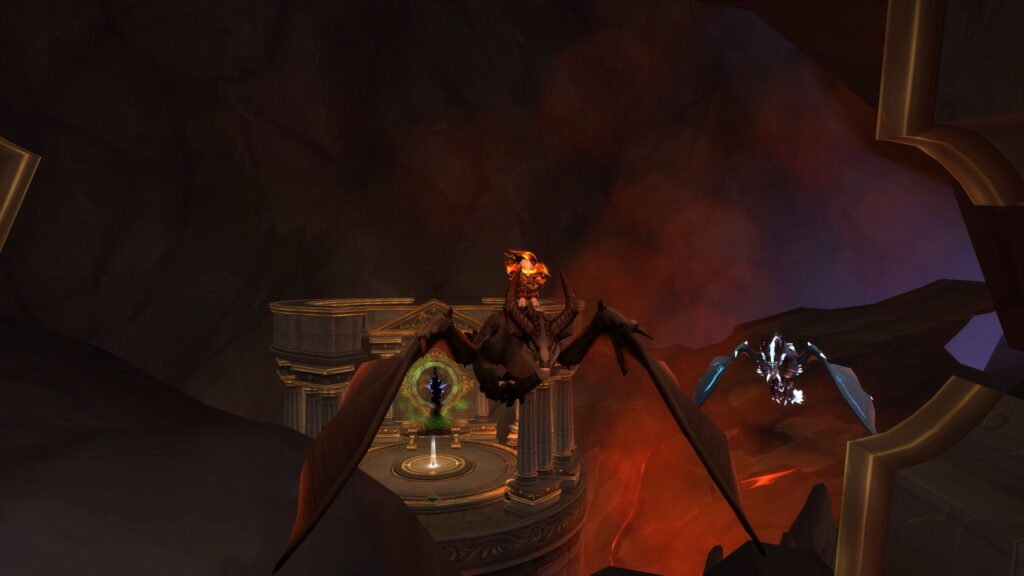
Addons like ElvUI and WeakAuras can be powerful tools in achieving a clean design. ElvUI provides a wealth of customization options for action bars, unit frames, and more. WeakAuras is particularly useful for tracking buffs and cooldowns without overloading your screen with unnecessary elements. Proper implementation of these add-ons can significantly streamline your UI.
Lastly, keep an eye on your CPU usage by using tools like Addon Usage or Addons CPU Usage. This allows you to monitor and adjust resource-intensive add-ons, ensuring they don’t bog down your game performance during critical raid moments.
Frequently Asked Questions
Can I Use ElvUI Without Performance Issues?
You can minimize performance issues with ElvUI by being mindful of customization and interface settings.
Make sure your ElvUI profile isn’t overloaded with unnecessary details. Adjust the UI scale to fit your screen comfortably.
Consider using plugins like WeakAuras and Plater judiciously, as poorly written scripts can cause problems.
How Do I Minimize Weakaura CPU Usage?
To minimize WeakAura CPU usage greatly, you should focus on WeakAura troubleshooting and CPU usage optimization.
Enable profiling within WeakAuras to identify the most resource-intensive auras.
Turn off and on each aura individually to isolate the culprits.
Optimize or replace these auras to reduce CPU impact.
Disabling certain features like models and complex conditional logic can help.
Are There Alternative UI Options to ElvUI?
You’re not limited to ElvUI for customizing your WoW UI. Popular alternatives exist, each offering unique features and improvements.
Shadowed Unit Frames and Bartender4 are known for their performance and flexibility.
WeakAuras remains versatile for tracking buffs and cooldowns. Consider importing presets from wago.io to simplify your setup.
For those seeking a complete overhaul, NDUI and SupervillainUI provide modular, functional designs.
What Are the Most CPU-Efficient Addons?
Optimizing CPU usage for your WoW UI involves selecting the most CPU-efficient addons.
For example, using Weakauras instead of TellMeWhen, transitioning from Recount to Details for DPS meters, and deactivating high CPU-usage options in IceHud help reduce CPU hits.
Additionally, consider utilizing Shadow Unit Frames, which has no CPU overhead issues, and steer clear of unnecessary scripts within your addons.
Guarantee addon compatibility when implementing these adjustments to uphold UI performance.
How Can I Optimize My Raid UI for Mythic Raids?
To optimize your raid UI for mythic raids, focus on efficient raid frames customization and guarantee addon compatibility.
Utilize specific add-ons to enhance your raid frames, like Raid Frame Settings. Additionally, incorporate add-ons that provide insights on player progress, such as raider.io.
Guarantee compatibility with your existing setup by carefully selecting and configuring each add-on to streamline your UI without compromising performance.
Conclusion
Optimizing Your UI for WoW Raiding
Optimizing your UI for successful WoW raiding involves carefully placing essential elements, following specific optimization steps, managing CPU usage, and selecting important addons while controlling visual clutter.
Essential Element Placement
Efficient UI placement focuses on minimizing distractions while keeping critical information in clear view. Position important details such as raid frames at the bottom of the screen, and place boss ability timers and other crucial information in the top half. Limit information on the left and right sides of your character to guarantee a clear field of view.
UI Optimization Steps
- Turn on fps monitoring: Use
Control + Rto monitor fps. - Identify CPU-intensive addons: Use /addonusage to detect CPU usage. Switch to lower CPU-usage alternatives, such as Details for Recount DPS meter or BigWings for DBM.
- Simplify and limit weak auras: Cut down on weak auras to reduce CPU usage. For example, use Mage WeakAuras or Enhancement Shaman WeakAuras.
Managing CPU Usage Effectively
- Check CPU usage: Identify spikes in CPU usage during different scenarios, such as rotations, boss fights, and battlegrounds.
- Standardize and optimize: Update and switch to lower CPU-usage addons, enabling efficient usage.
Important Raiding UI Addons
- Bartender4: Use for actionable bars.
- Plater Nameplates: Utilize for enemy nameplates.
- Shadowed Unit Frames: Implement for allied nameplates.
Visual Clutter Control
- Limit nameplate and addon visibility: Only display relevant information to avoid distractions.
- Position UI elements strategically: Guarantee easy spotting of key details.
Following these steps guarantees a lean and effective WoW UI for successful raiding.